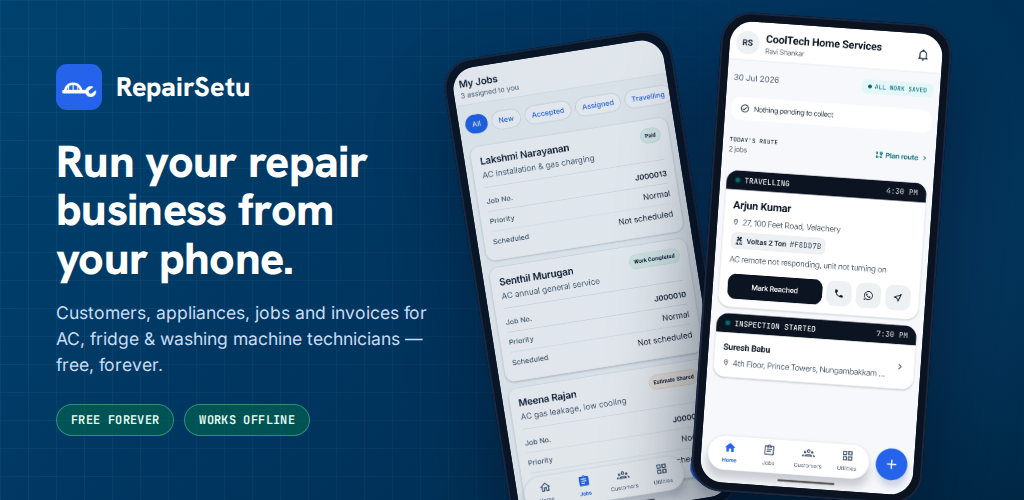
App guide
How RepairSetu works
RepairSetu is a free app for AC, refrigerator, washing machine, water purifier (RO) and geyser technicians and small service companies in India, and for car and two-wheeler garages. This page walks through every part of the app, the way a technician or mechanic uses it.

At a glance
- Price
- Free. No subscription, no trial, no per-job fee, no credit card. Technicians and their teams never pay.
- Where it runs
- Android app on Google Play: https://play.google.com/store/apps/details?id=com.repairsetu.technician (package com.repairsetu.technician).
- Web app (PWA) at https://app.repairsetu.in — works in any phone or computer browser, no install. Same account and data as the Android app.
- A few things need the Android app: importing customers from phone contacts, scanning the serial-number barcode with the camera, and job reminders/notifications.
- iOS app: coming, not released yet.
- App languages
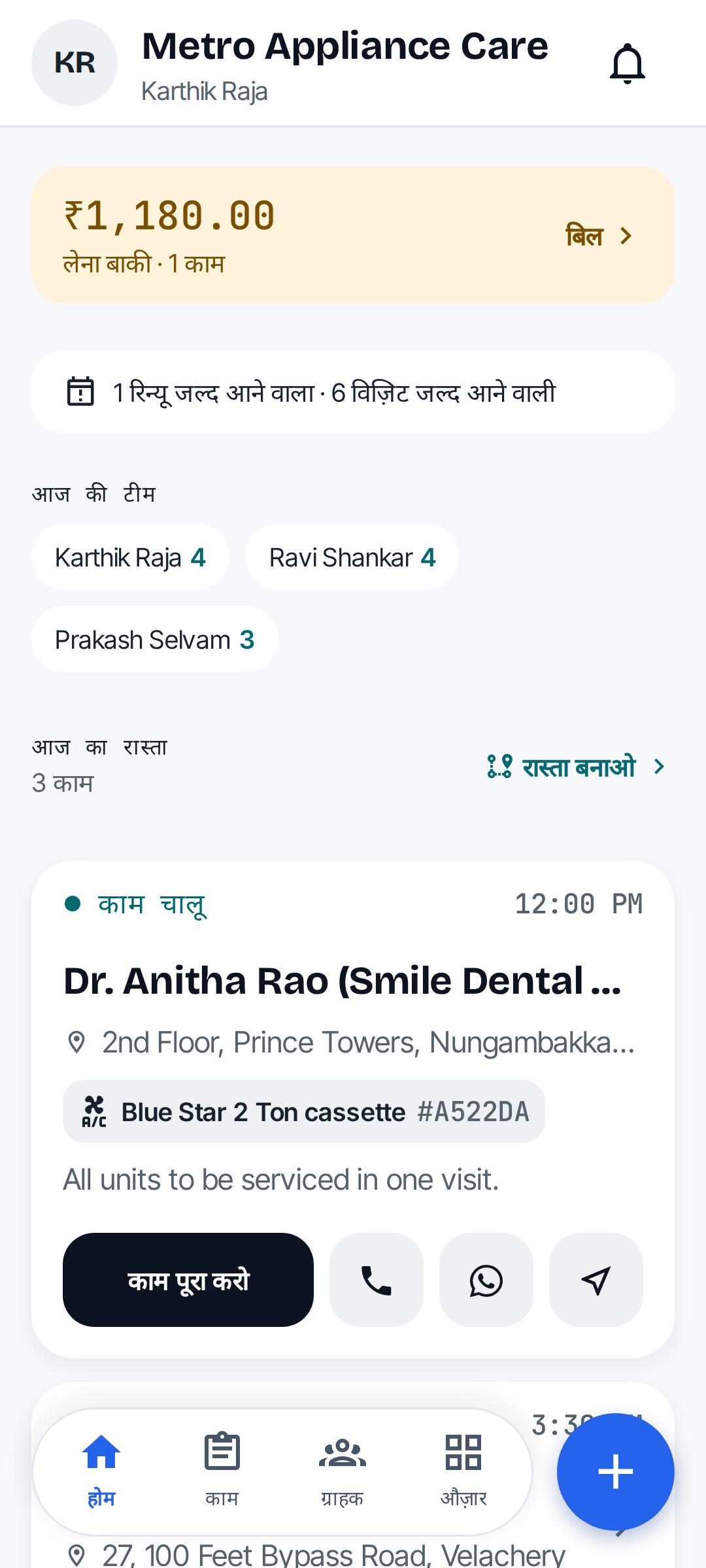
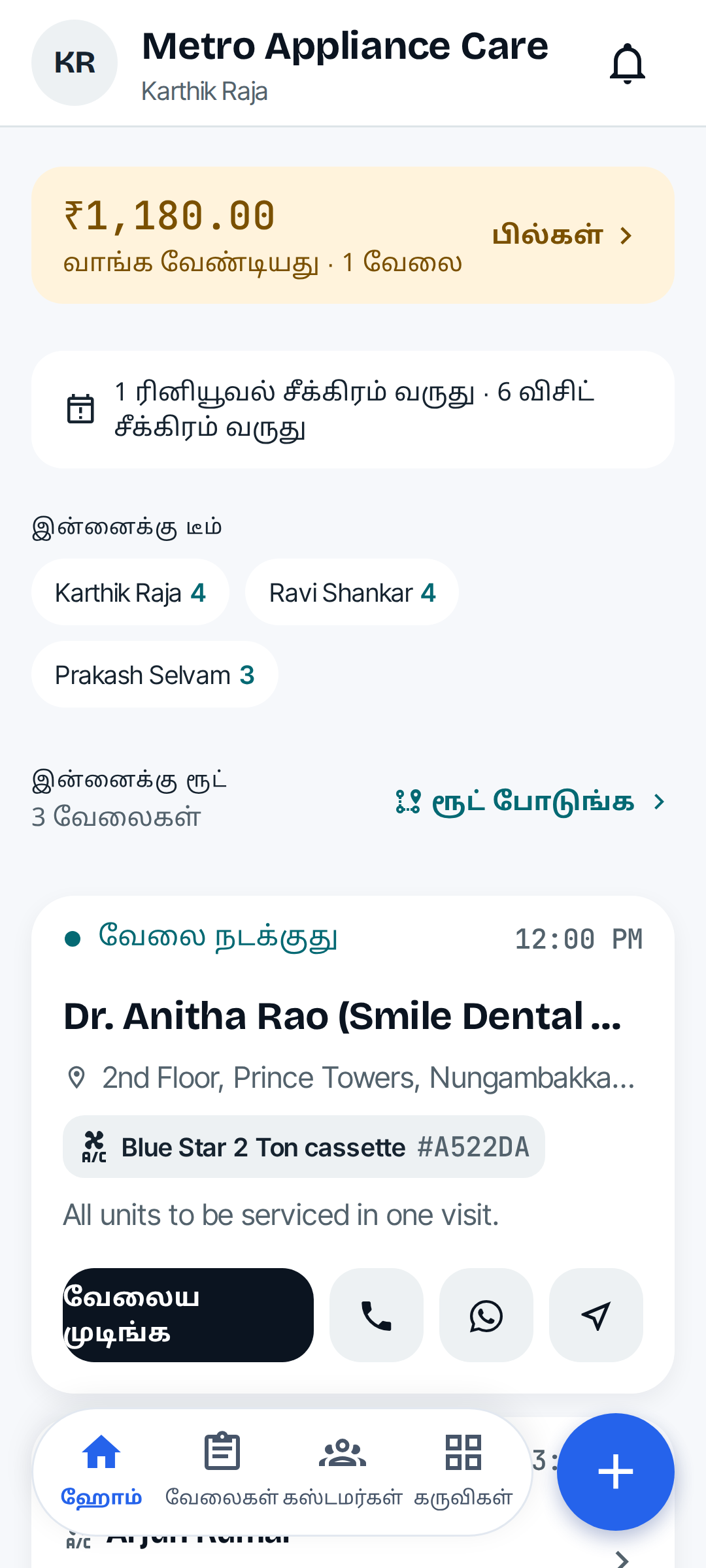
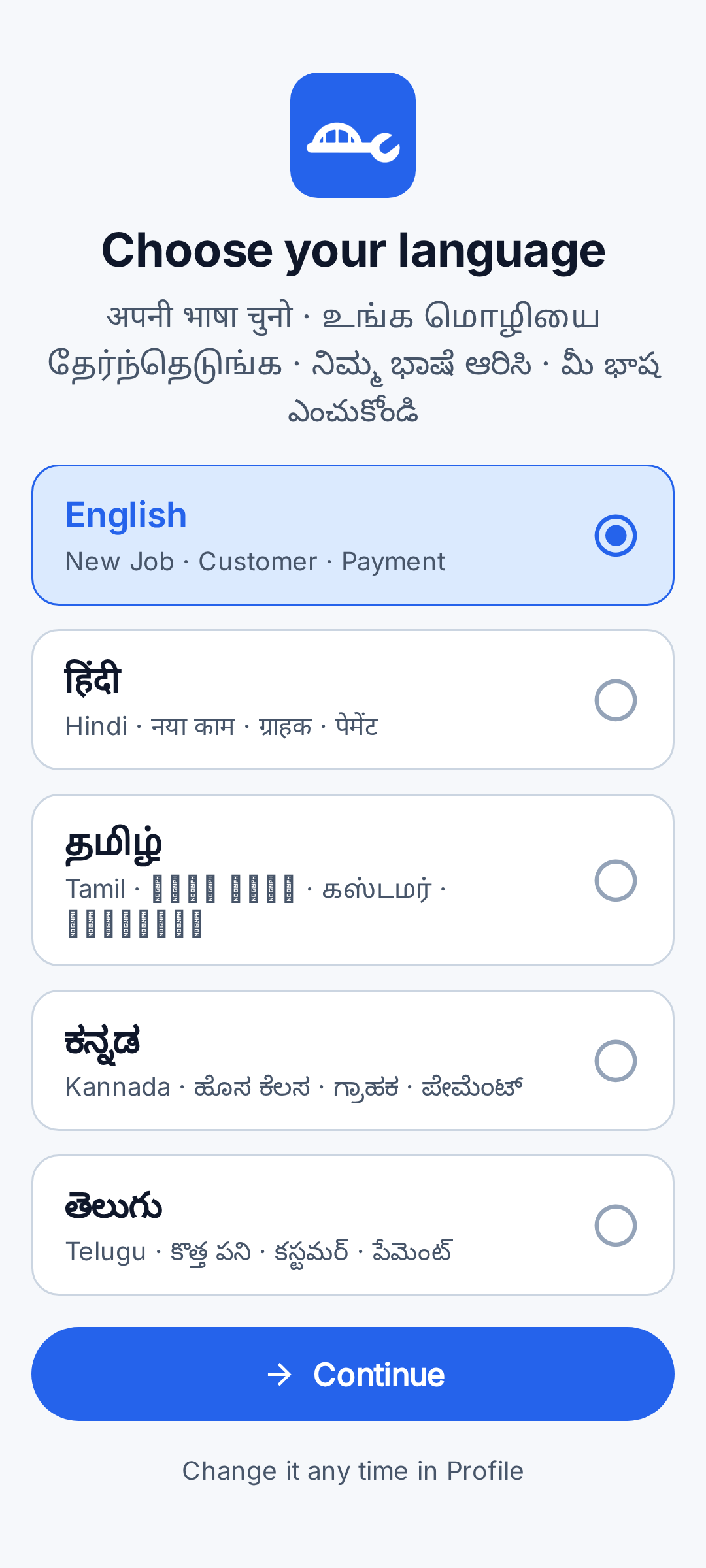
- English (English), Hindi (हिंदी), Tamil (தமிழ்), Kannada (ಕನ್ನಡ), Telugu (తెలుగు). Coming soon: Bengali, Marathi, Gujarati, Malayalam, Odia, Punjabi.
- Appliances built in
- AC, Refrigerator, Washing Machine, Water Purifier (RO), Geyser — plus any other type the business adds.
- Vehicles built in (garages)
- Car, Two Wheeler, Other Automobile — plus any other type the garage adds. See Car and two-wheeler garages.
Screenshots
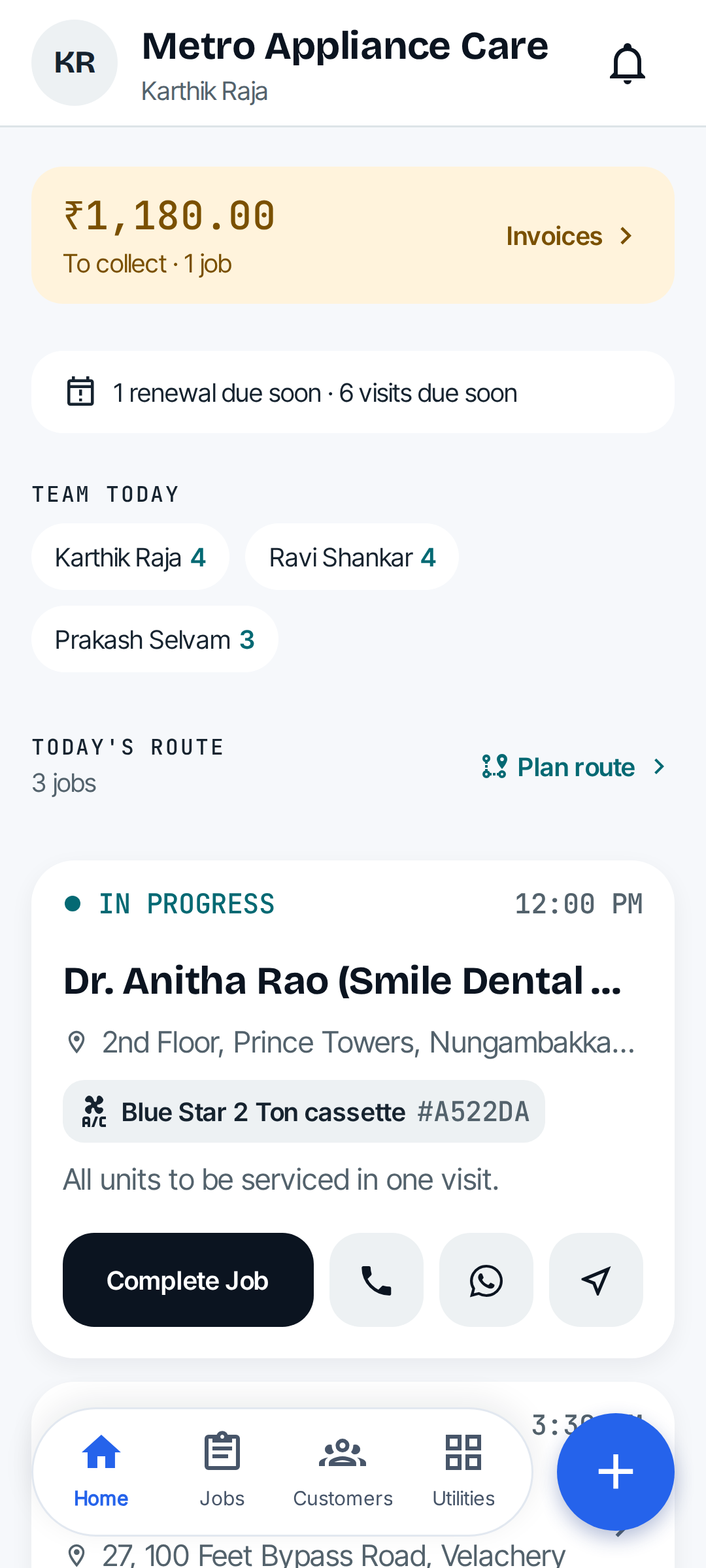
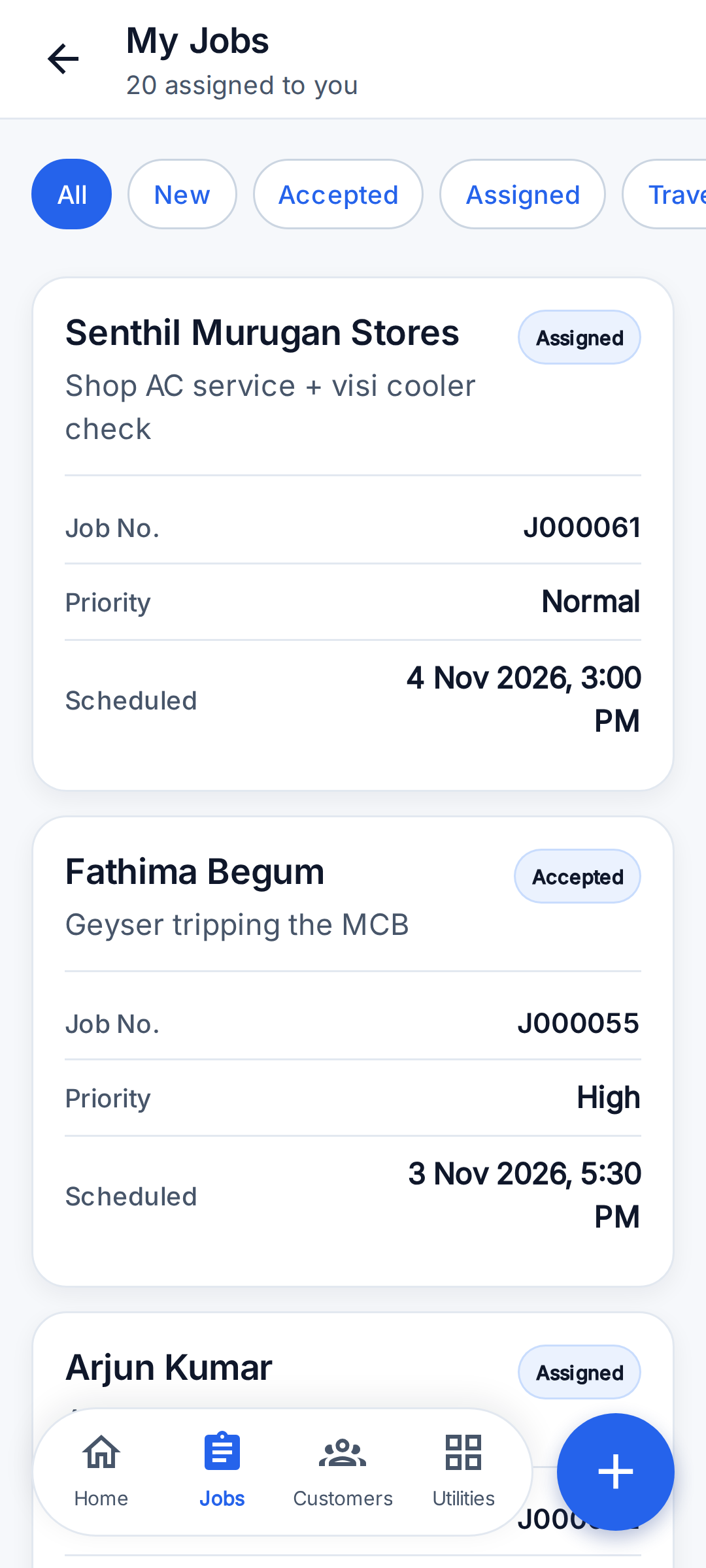
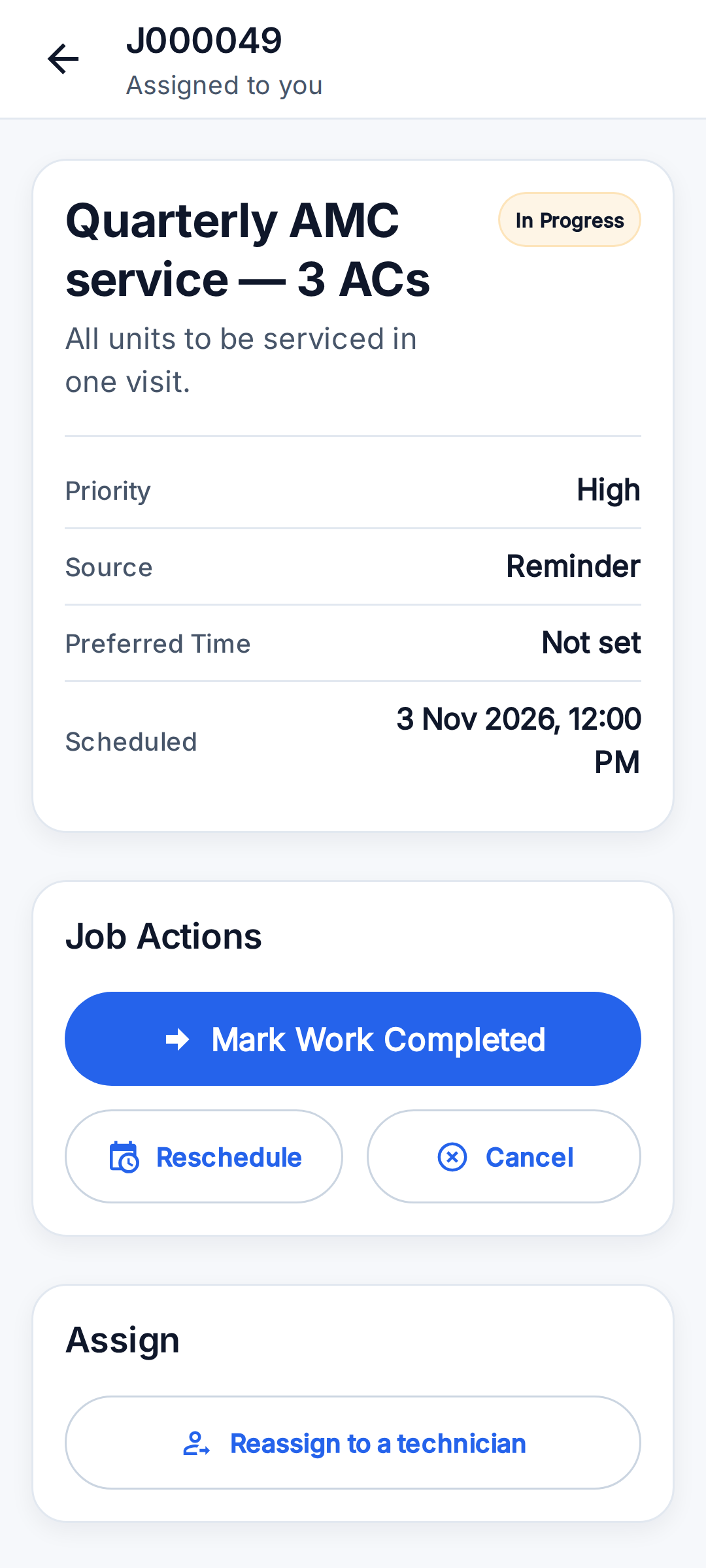
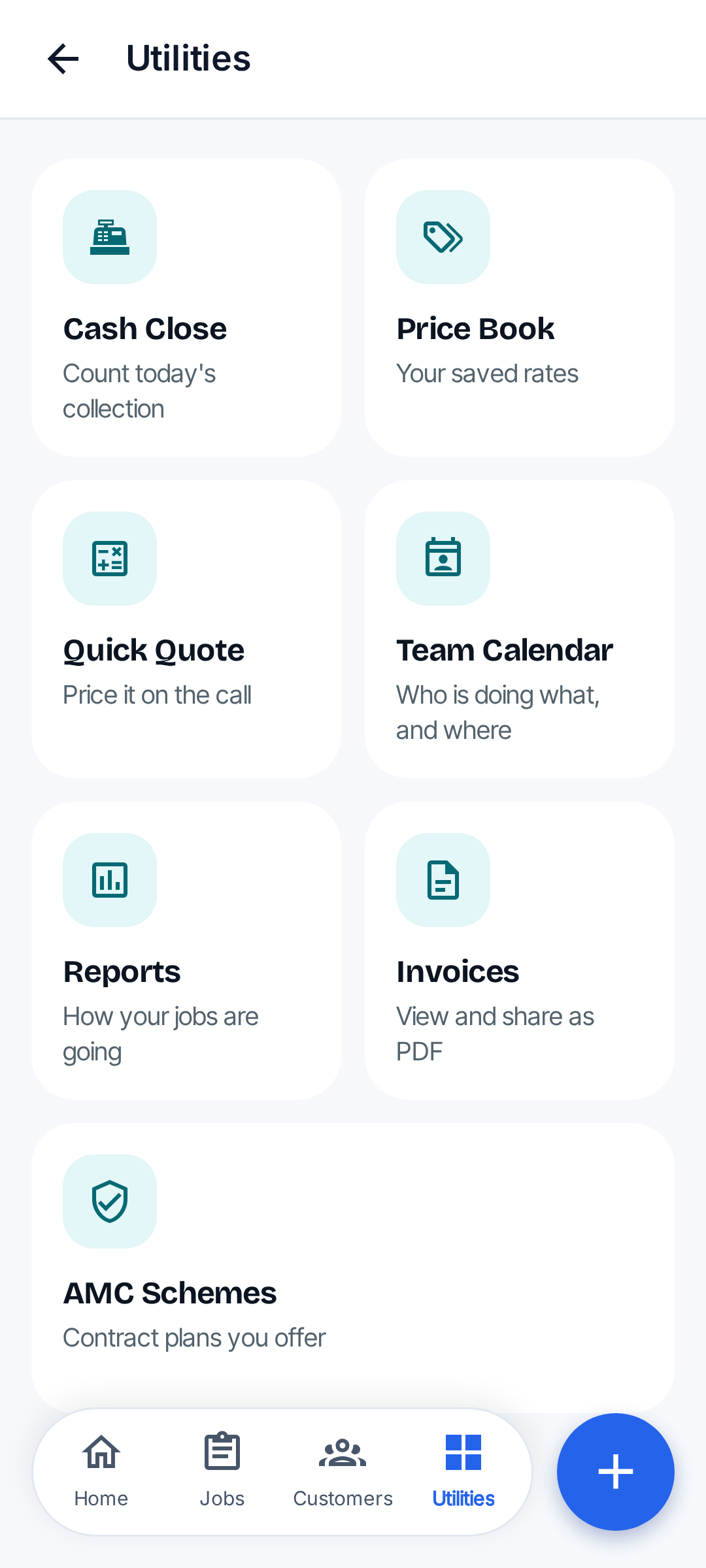
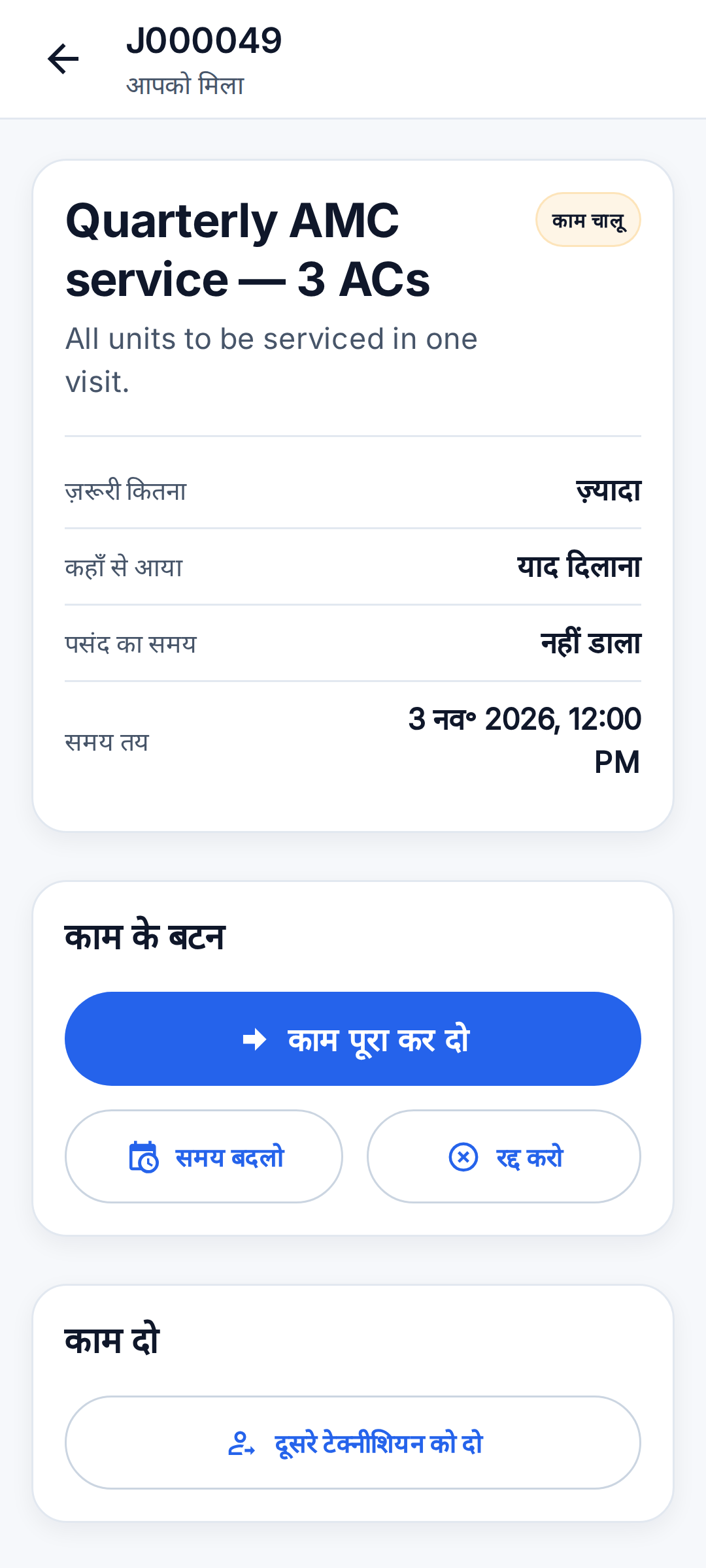
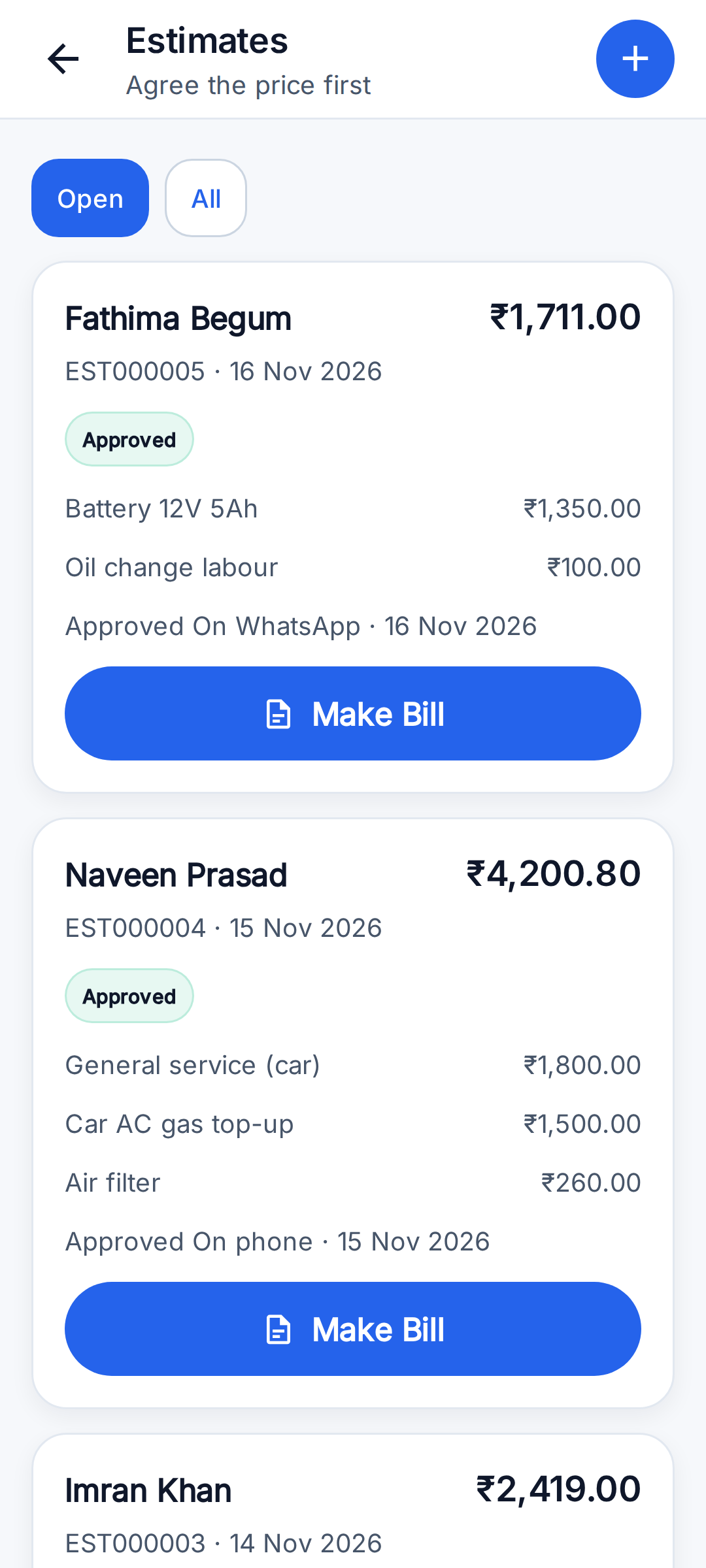
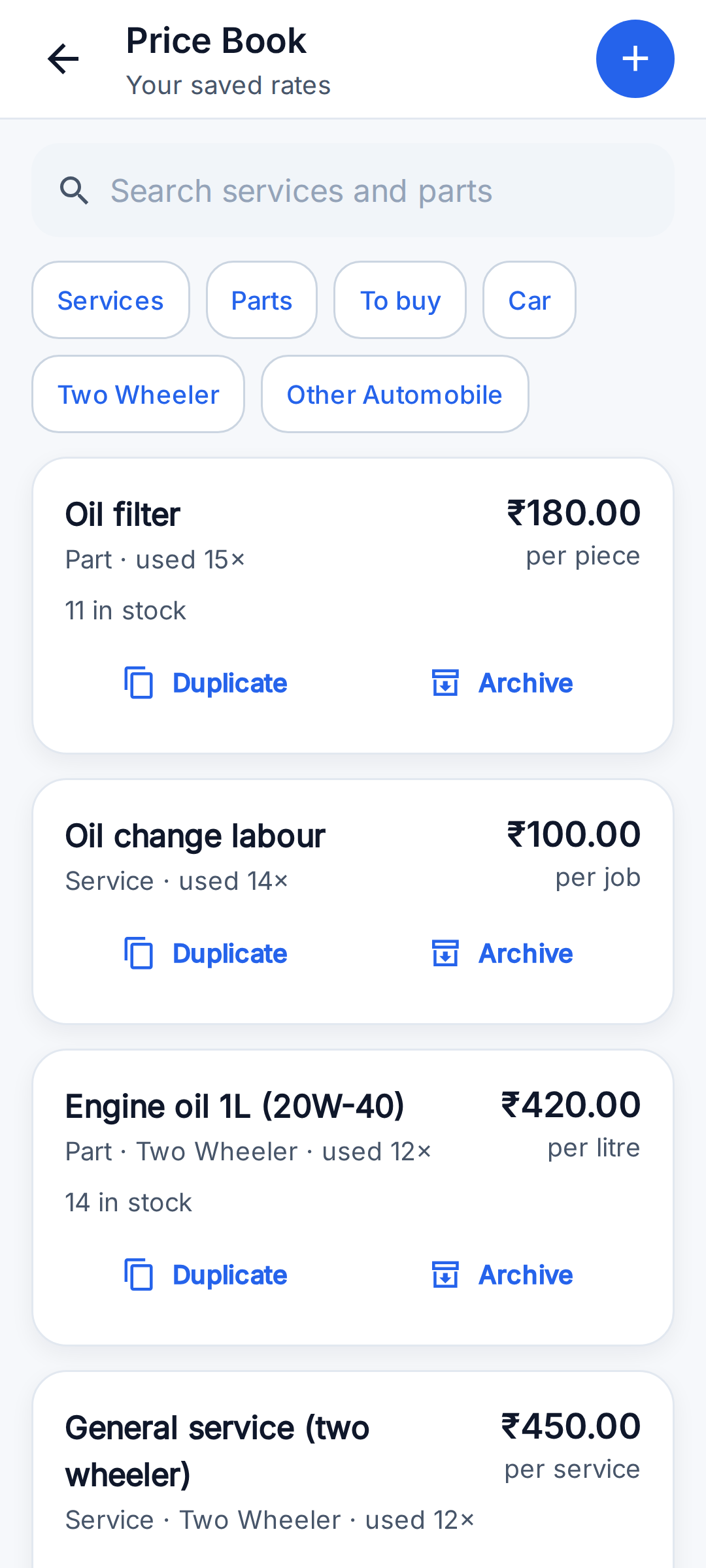
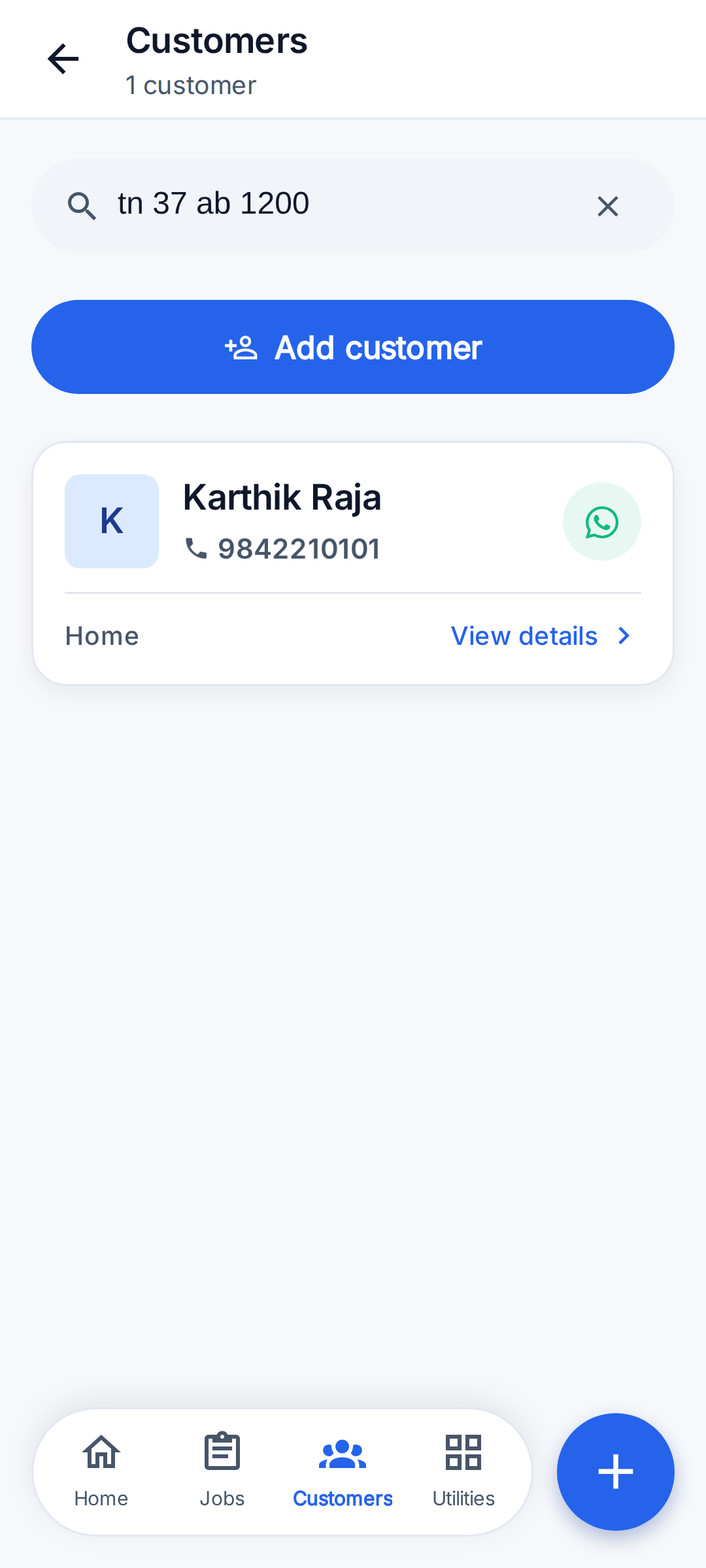
Real screens from the app, using demo businesses and demo customers: an appliance service company and, for the garage screens, a Coimbatore garage.
Job stages
Every business starts on the simple 3-stage flow. Turning on 'Full Job Stages' in Profile → Business switches it to the full 11-stage flow. A job shows one big button for the next stage (for example 'Mark Reached', 'Mark Payment Pending'); each step can be undone right after.
Simple flow (default)
New → In Progress → Work Completed
Full flow
New → Accepted → Assigned → Travelling → Reached → Inspection Started → Estimate Shared → In Progress → Work Completed → Payment Pending → Paid
Any time
- Cancelled (asks for a reason)
- Rescheduled (when moved forward again, the job resumes from the stage it was at)
Team roles
- Owner:
- Created the business. Sees and does everything: team, settings, reports, all jobs and money.
- Admin:
- Helps run the business: manages jobs, team and settings like the owner.
- Dispatcher:
- Books and assigns jobs to technicians and follows their progress.
- Technician:
- Does the jobs assigned to them: moves the job through its stages, fills the service sheet, makes the bill and records payment.
- Helper:
- Assists on jobs with a limited view.
First start and sign in
Pick a language, sign in, describe the business once.
- Open the app. The first screen asks for the app language: English, Hindi, Tamil, Kannada or Telugu.
- Business owners tap 'Continue with Google'. No password or OTP is needed.
- Team members invited by an owner tap 'Join your team' instead, then enter their own mobile number and the 6-character team code the owner shared. They do not need a Google account.
- New owners set up the business once: what kind of business it is (Appliance Repair or Automobile Garage), business name, business type (solo or small company), what they work on (appliance businesses: AC, Refrigerator, Washing Machine, Water Purifier/RO, Geyser; garages: Car, Two Wheeler, Other Automobile; plus any other type they add), their name, business mobile, main area, and an optional GST number.
- The app opens on Home. Setup cards suggest next steps: add your technicians, save your prices, start AMC plans, close today's cash, accept online bookings and bring customers across from phone contacts. Each can be hidden for a week.
Create a job
From a phone call to a scheduled job in under a minute.
- Tap + then 'New Job'.
- Who is the customer? Search saved customers by name or mobile, or type a new customer's name and phone number — the new customer is saved with the job.
- For which appliance? Pick one of the customer's saved appliances or add a new one (type, brand, capacity). This is optional and can be added on site.
- What is the problem? For example 'AC not cooling'.
- How did they contact you? Phone call, WhatsApp, referral, reminder or manual entry.
- Priority: Low, Normal, High or Urgent.
- When will you visit? A date and a time of day (Morning, Afternoon, Evening). It can be left unscheduled.
- Owners, admins and dispatchers can assign the job to a technician; the app warns if that technician already has jobs that day.
- Save. The job gets a number such as J000010 and shows up on Home, in Jobs, on the Team Calendar and on the technician's phone.
Move a job through its stages
One button per stage, from New to Paid.
- Open the job (or use the button on its Home card).
- Tap the big next-stage button, for example 'Mark Reached' or 'Mark Payment Pending'. Undo is offered right after.
- Reschedule or Cancel are always available; cancelling asks for a reason.
- Owners can reassign the job to another technician at any point.
- The job page also has the customer's address and Call / WhatsApp buttons, 'Navigate to job', photos (add, tap to view, long-press to delete) and 'Attach my location'.
Fill the service sheet
A digital service report for each machine.
- On the job, tap 'Fill Service Sheet'. The sheet matches the appliance type (for example gas pressure and temperatures for an AC); machine types without their own sheet get general checks.
- Enter what was measured. Readings outside the usual range are highlighted before saving. Blank fields are simply not recorded.
- Record the fault found, the action taken and the machine status after service: Working, Working with issues, Not working, or Condemned (cannot be repaired).
- Optionally record the customer's satisfaction score out of 10 and their sign-off.
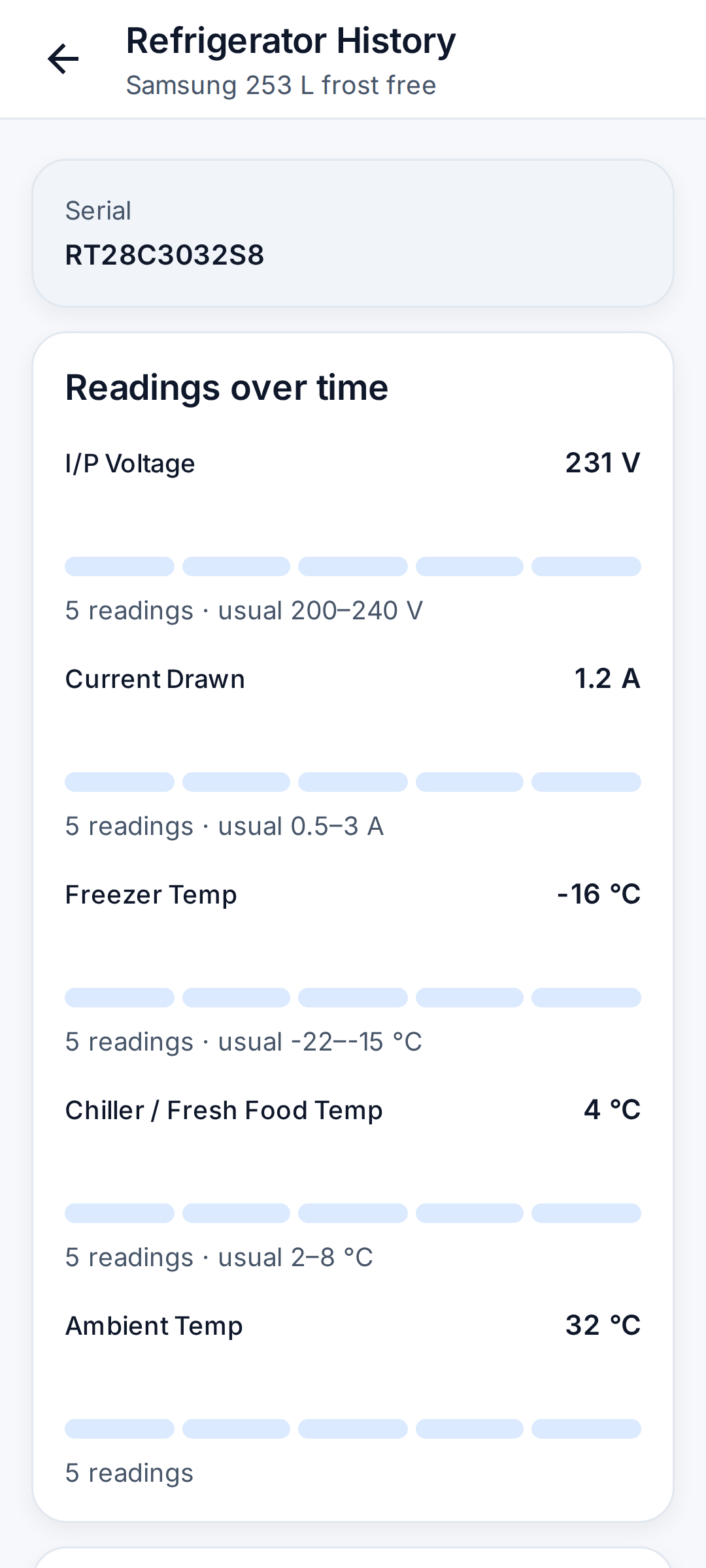
- Readings are saved to the machine's history, so the next visit shows how they changed over time.
Make the bill and get paid
Invoice PDF on WhatsApp, then record cash or UPI.
- From the job, create an invoice. Add items from the Price Book in one tap or type them: description, quantity, rate and tax %.
- Tax (GST) is added only when the business has a valid GST number in Profile → Business; otherwise invoices are tax-free.
- 'Save & Share PDF' creates the invoice PDF and opens WhatsApp (or any share target) to send it to the customer. The PDF is in English.
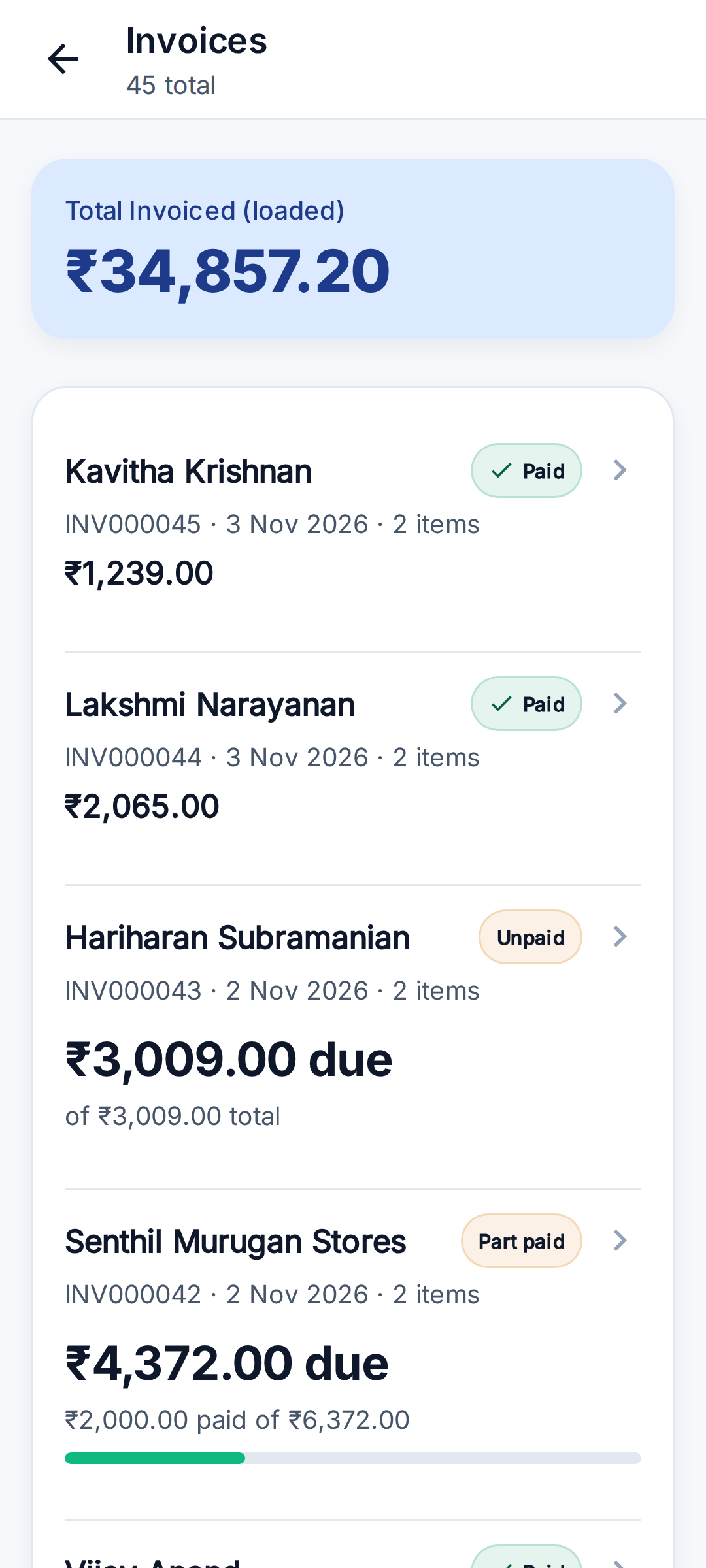
- When money comes in, tap 'Record Payment': amount, mode (Cash, UPI, Bank Transfer, Card, Other), optional transaction / UTR number, and who received it. Invoices show Unpaid, Part paid or Paid.
- Money collected without an invoice can be recorded too, so it still counts in the day's cash close.
Customers and the Machine Passport
Every customer, every machine, every visit.
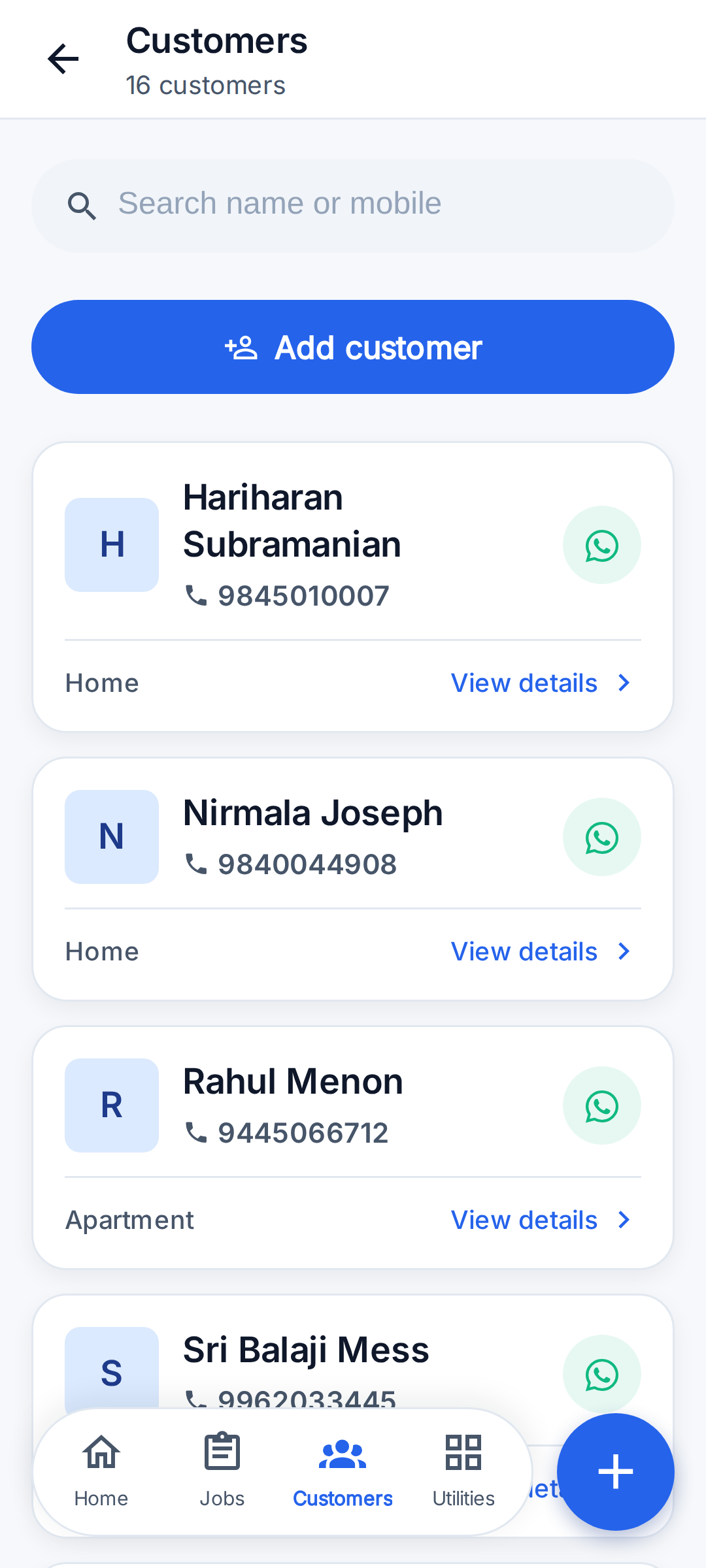
- Add a customer with just a name and phone number. Address (door number and street, area, city, pincode), type of place (home, apartment, office, shop, company), WhatsApp number, email and notes are optional.
- On Android, 'Import from Contacts' reads names and phone numbers, shows the list, and saves only the people picked. Landlines and short codes are skipped.
- The customer page shows their appliances, jobs, invoices and AMC contracts, with Call, WhatsApp and 'Create Job For This Customer'.
- At the customer's place, 'save this location' stores their exact map position for future navigation.
- Each appliance has a Machine Passport: type, brand, capacity, serial number (scan the nameplate barcode with the camera or type it), a second serial for an outdoor unit, where and by whom it was installed, where it was bought, warranty status, and its full service history and readings.
Price Book and Quick Quote
Save rates once, use them on every bill.
- Utilities → Price Book: save services and spare parts with a price, tax % and unit, optionally for one appliance type. Items can be edited, duplicated or archived.
- Saved items fill invoices with one tap; the Price Book shows how often each was used.
- Utilities → Quick Quote: total up an estimate during a phone call from Price Book items, then share it on WhatsApp. Nothing is saved.
Cash Close (end of day)
Know exactly what was collected today.
- Utilities → Cash Close. The app totals the day's collections — cash, UPI and still pending — including what each team member collected.
- Count the cash in hand and enter it. The app shows whether it matches, is short or has extra.
- Add a note and 'Close Day'. Past closes are listed; a closed day can be reopened to correct the count.
AMC (Annual Maintenance Contracts)
Sell yearly service plans and never miss a visit.
- Utilities → AMC Schemes: create reusable plans with a name, visits per year, price, spare-parts cover, what is included and custom terms.
- From a customer, create an AMC contract for one of their appliances using a scheme or custom terms.
- Contract visits are scheduled and can be added to the phone's calendar. Each visit is completed like a job ('Visit 2 of 4').
- Renew a contract when it ends, or cancel it (visits not yet scheduled are skipped).
- Home and reminders flag AMC visits due soon and renewals coming up.
Run a team
Add technicians, assign jobs, see the day.
- Profile → Team: add a member with name, mobile number and role (Admin, Dispatcher, Technician, Helper).
- 'Add and invite on WhatsApp' sends them the joining steps. They install the app, tap 'Join your team' and enter their number and the team code. The owner can reset the code; people who already joined keep access.
- Jobs assigned to a technician appear on their phone with the customer, address and problem.
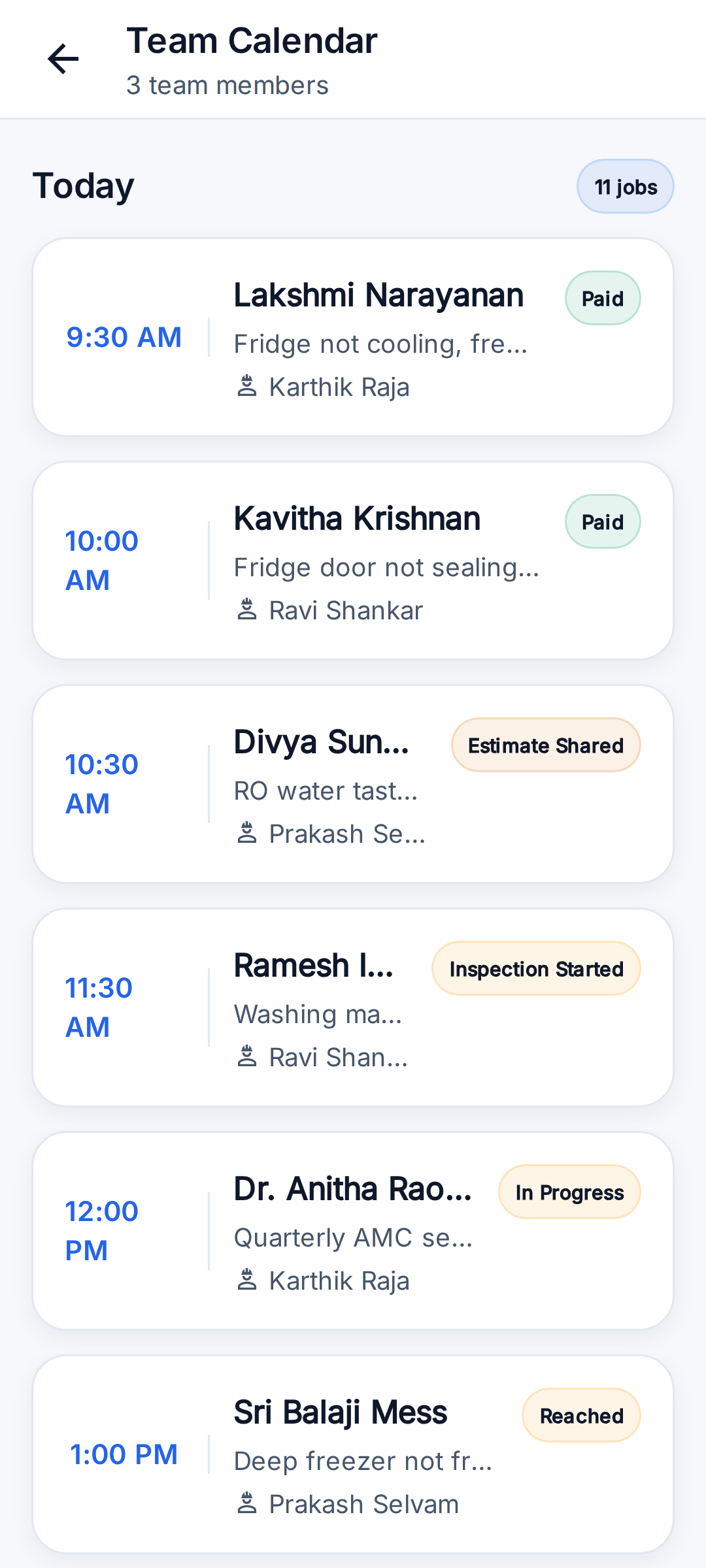
- Utilities → Team Calendar shows every scheduled job by technician. Utilities → Reports shows jobs by stage, done rate, average time to finish, work by technician and by appliance, top customers and total invoiced.
Plan the day's route
Today's jobs in driving order.
- On Home, tap 'Plan route' (or 'Plan My Day').
- The app orders today's jobs that have a saved location by distance from where you are and opens them as one route in Google Maps.
- Jobs without an address are listed so the address can be added.
Online booking link
Customers book a visit themselves.
- Profile → Business: turn on 'Accept online bookings' and copy or share your booking link on WhatsApp.
- Customers open the link, pick a day and leave their number. The job appears in your list with a code they can quote when you call back.
- Turn it off when you are full; the page still opens but nobody can book.
Car and two-wheeler garages
The same app, worded and set up for a garage.
- At setup, choose 'Automobile Garage' for 'What kind of business?', then tick the vehicles the garage works on: Car, Two Wheeler, Other Automobile, or add another type such as Tractor. Garages can use RepairSetu on the web app at https://app.repairsetu.in today, and in the Android app from version 0.12.0.
- The whole app then uses garage words in every language: Vehicle instead of Appliance, Mechanic instead of Technician, Job Card instead of Service Sheet, 'Today's Jobs' instead of 'Today's Route', and the stages Travelling and Reached become 'Going for Pickup' and 'Vehicle Received'.
- A vehicle is saved with its registration number, make, model, fuel (Petrol, Diesel, CNG, Electric, Hybrid, LPG; Petrol or Electric for two wheelers) and odometer. Year, colour, chassis number (VIN), engine number, insurance date and PUC date are optional.
- Makes built in for cars: Maruti Suzuki, Hyundai, Tata, Mahindra, Toyota, Honda, Kia, Renault, Volkswagen, Skoda, MG, Nissan, Ford. For two wheelers: Hero, Honda, TVS, Bajaj, Royal Enfield, Yamaha, Suzuki, KTM, Ola Electric, Ather, Jawa, Vespa, Ampere, Revolt. Any other make can be typed.
- The registration number is stored without spaces or hyphens, so any way of typing it finds the same vehicle. Customer search matches name, mobile number or vehicle number (3 or more characters).
- Garage job stages. Simple flow: New → In Progress → Work Completed. Full flow: New → Accepted → Assigned → Going for Pickup → Vehicle Received → Inspection Started → Estimate Shared → In Progress → Work Completed → Payment Pending → Paid.
- Customers, jobs, invoices, payments, cash close, AMC, team, reports and languages work the same as for an appliance business. AMC 'visits' are called 'services'.
Fill the vehicle job card
Intake record and multi-point check for each vehicle.
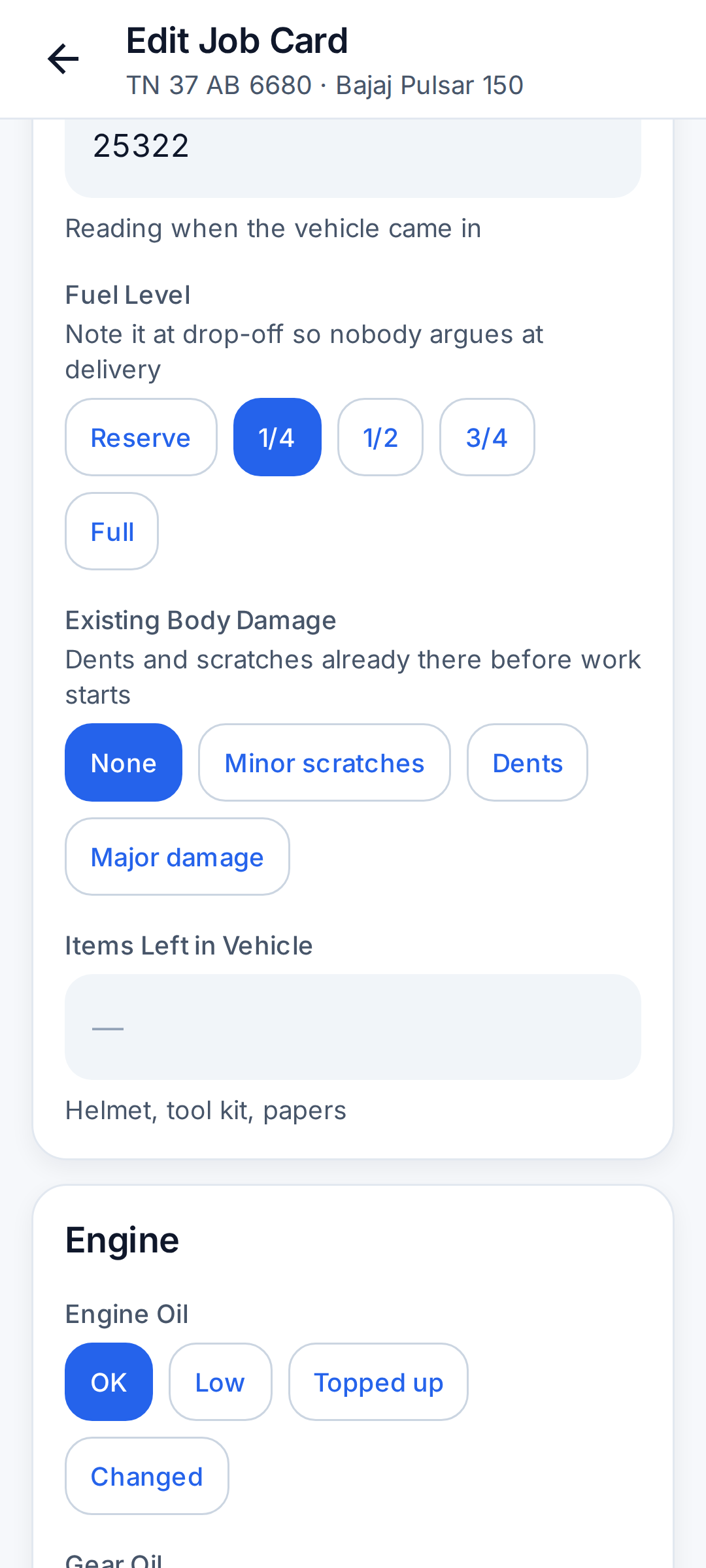
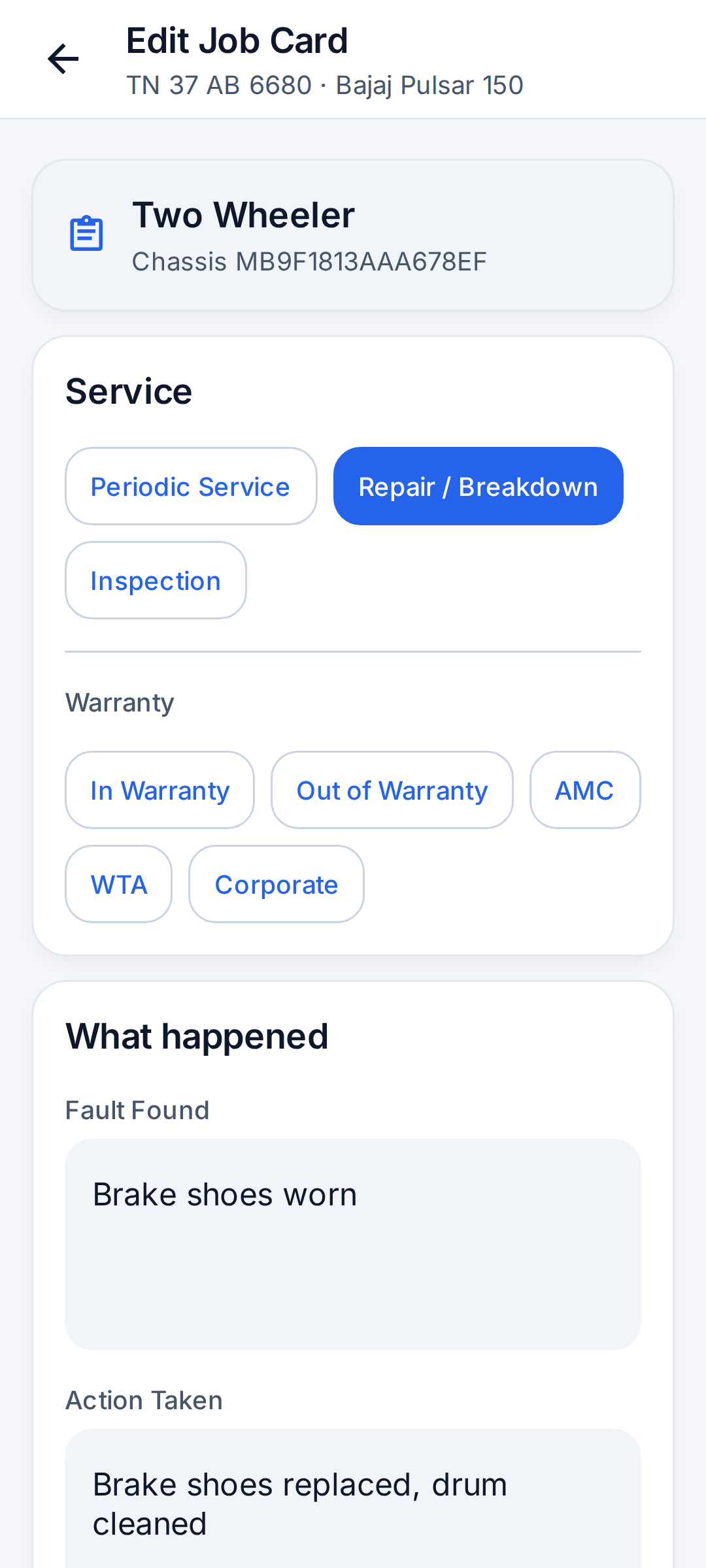
- On the job, add the vehicle (or pick one the customer already has) and tap 'Fill Job Card'. Choose Periodic Service, Repair / Breakdown or Inspection.
- Car job card, Vehicle intake: Odometer, fuel level (Reserve to Full), existing body damage, items left in the vehicle.
- Car job card, Engine: Engine oil, oil filter, air filter, coolant, drive belt, engine noise or vibration, exhaust smoke.
- Car job card, Brakes: Front brake pads, rear brakes, brake fluid, handbrake.
- Car job card, Tyres: Tyre condition, front and rear tyre pressure, spare wheel, wheel alignment.
- Car job card, Electrical: Battery voltage, lights and indicators, horn, wipers and washer, AC cooling.
- Car job card, Road test: Clutch, suspension, steering, scan or error code from an OBD scanner, test drive done, washing done.
- Two-wheeler job card (bikes and scooters), Vehicle intake: Odometer, fuel level, existing body damage, items left with the vehicle (helmet, tool kit, papers).
- Two-wheeler job card (bikes and scooters), Engine: Engine oil, gear oil (scooters), oil filter, air filter, spark plug, carburettor or FI, engine noise or vibration.
- Two-wheeler job card (bikes and scooters), Drive: Chain and sprocket or CVT belt, clutch play (geared bikes).
- Two-wheeler job card (bikes and scooters), Brakes: Front brake, rear brake.
- Two-wheeler job card (bikes and scooters), Tyres: Tyre condition, front and rear tyre pressure.
- Two-wheeler job card (bikes and scooters), Electrical: Battery voltage, lights and indicators, horn, self start.
- Two-wheeler job card (bikes and scooters), Road test: Suspension, test ride done, washing done.
- Other vehicle types get a general vehicle job card: odometer, fuel level, existing damage, engine oil, air filter, brakes, tyres, battery voltage, lights, test drive done and washing done.
- Most checks are one tap (for example OK, Low, Topped up, Changed). Blank items are not recorded. Tyre pressure and battery voltage outside the usual range are highlighted before saving.
- Record the fault found, the work done and the vehicle's condition after service: Running fine, Running with issues, Not running or Not worth repairing.
- Set the next service by date, by km or both. Saving puts the customer on the Follow-ups list for that day, and a higher odometer reading updates the vehicle.
Follow-ups (customers to call)
A call list that fills itself.
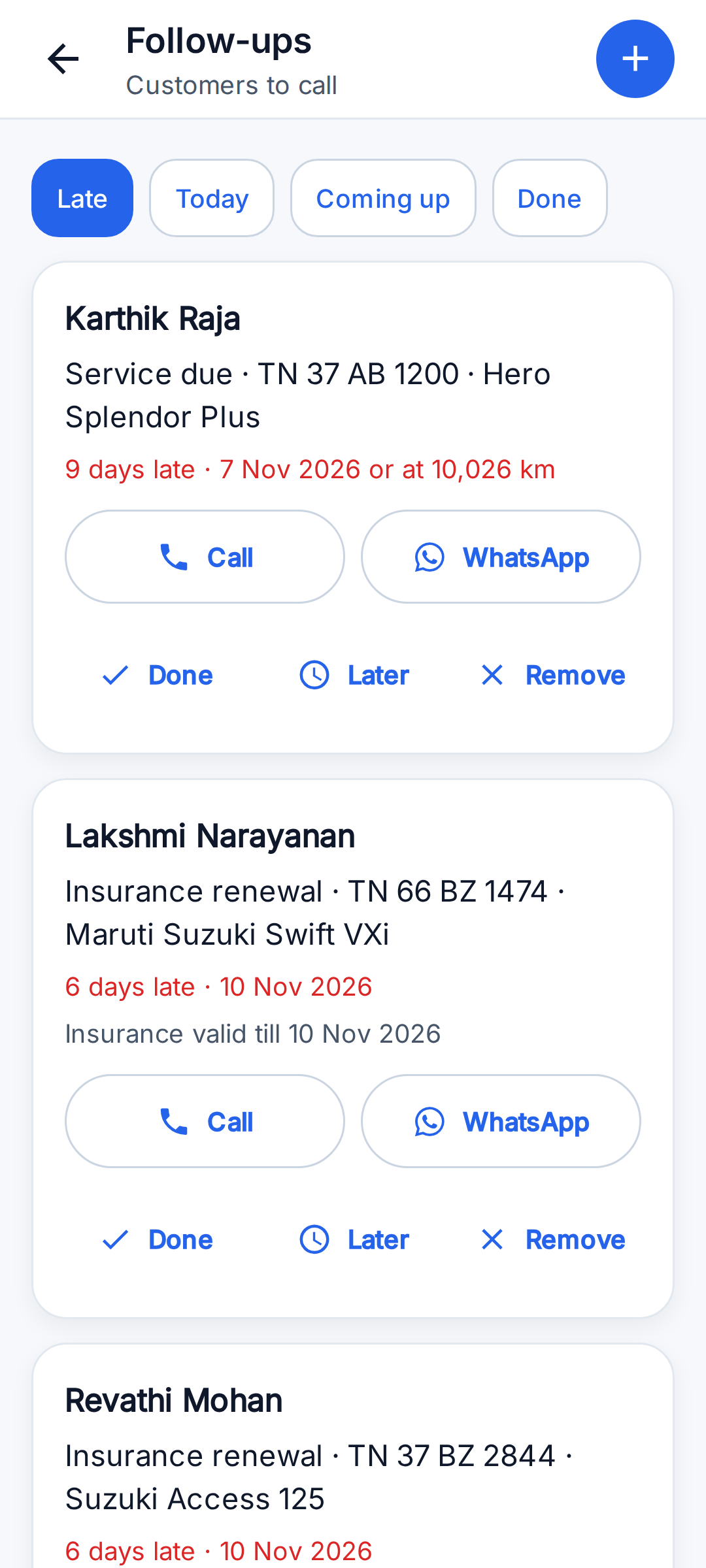
- Utilities → Follow-ups, with tabs Late, Today, Coming up and Done. A strip on Home shows when calls are due.
- Service due: created when a job card (or an appliance service sheet) is saved with a next service date. For a garage's periodic service with no date set, the app uses 6 months or 10,000 km for a car, 4 months or 3,000 km for a two wheeler, and 3 months or 5,000 km for other automobiles.
- Insurance expiry and PUC expiry (garages): created when a vehicle is saved with those dates, due 15 days and 7 days before they lapse.
- After-service check (garages): due 3 days after a job is marked Work Completed.
- Each row has Call and WhatsApp (the message is already written; the user presses send), Done with an outcome (Booked, All fine, Not interested, Other), Later (tomorrow, in 3 days, in a week) and Remove.
- A follow-up can also be added by hand for any customer: a title and when (tomorrow, in 3 days, in a week, in a month).
- Nothing is sent to the customer automatically.
Estimates
Agree the price before the work.
- Utilities → Estimates → New estimate, or 'Give an estimate first' on a job that has no invoice yet.
- An estimate has the same lines as an invoice (parts, labour, discount, tax) and its own number, starting at EST000001.
- Share it with the customer as a WhatsApp message, then record the answer: approved or rejected, and how (in person, phone, WhatsApp).
- An approved estimate converts to the invoice in one tap, for the agreed amount.
- An estimate does not change stock, cash close or reports. It cannot be edited after saving yet, and it is not a PDF.
Parts, labour and stock
Bills that separate parts from labour, and a rack that adds up.
- Each invoice line is a part or labour, with an optional HSN / SAC code and its own GST rate. Lines picked from the Price Book carry these already.
- The invoice shows a parts total, a labour total, a flat discount taken off before tax, and tax for each rate. It prints the vehicle or appliance the job was on. Tax is not split into CGST / SGST / IGST.
- In the Price Book, a part can have a part number, HSN code, purchase price, and 'track stock' with a quantity and reorder level.
- Billing a tracked part takes it off stock. Purchases and returns add to it. Each part has a passbook of every movement with the balance after it.
- A physical count sets the balance to what is on the rack and records the difference as its own line.
- The 'To buy' filter in the Price Book lists parts at or below their reorder level. Stock can go negative; billing is never blocked.
Reminders (Android)
The phone reminds you, even with no internet.
- Reminders are scheduled on the phone itself: 30 minutes before each job, the day's list in the morning, finished jobs without a bill, unpaid bills, AMC work falling due, and an evening cash-close reminder.
- They can be switched off in Profile → Account. A separate 'Tips and nudges' switch controls occasional tips.
- The web app cannot send reminders, because a closed browser tab cannot ring.
Languages
The app in the technician's own language.
- The app is available in English (English), Hindi (हिंदी), Tamil (தமிழ்), Kannada (ಕನ್ನಡ), Telugu (తెలుగు).
- The language is chosen on the first screen and can be changed any time in Profile → App Language. Text uses easy, everyday words fully in the language's own script; only names like WhatsApp, UPI, GST, PDF and AMC stay in English letters.
- Customer-facing output — the invoice PDF, the public booking page and the WhatsApp messages sent to customers — stays in English.
- Coming next: Bengali, Marathi, Gujarati, Malayalam, Odia, Punjabi.
Account, privacy and settings
Your data stays private to your business.
- Profile has four tabs. Profile: name, mobile and App Language. Business: business name, GST number, the 'Full Job Stages' switch, a switch to show 'Assign' next to the main job actions, and the online booking link. Team: members and the team code. Account: reminders, tips, anonymous usage and crash reports, support, legal pages, log out, deactivate and delete.
- A business's customers, jobs and invoices are visible only to that business's own team.
- 'Deactivate account' signs out of every device. 'Delete my account and data' also deletes or anonymises the business, customer, appliance, job and invoice data within 30 days (except records required by law). Deletion can also be requested on the web at https://repairsetu.in/account-deletion/ without the app.
Questions
What is RepairSetu?
A free job, customer, invoice and AMC app for AC, refrigerator, washing machine, water purifier (RO) and geyser repair technicians and small service companies in India, and for car and two-wheeler garages. Android app and web app.
Can a car or bike garage use RepairSetu?
Yes. Choose 'Automobile Garage' at setup. The app then works with vehicles saved by registration number, digital job cards for cars and two wheelers, estimates, GST invoices with parts and labour, parts stock and follow-ups for service due, insurance and PUC. Garages can use RepairSetu on the web app at https://app.repairsetu.in today, and in the Android app from version 0.12.0. Details: https://repairsetu.in/garage-management-software/
What does RepairSetu not do for garages yet?
No automatic SMS or WhatsApp to the customer. Follow-ups are a list you work through; the app opens WhatsApp with the message already written and you press send. No link for the customer to approve an estimate themselves. The mechanic records the approval (in person, by phone or on WhatsApp). Estimates are shared as a WhatsApp message, not as a PDF. Bills are shared as a PDF. No CGST / SGST / IGST split on the bill. Tax is shown per GST rate. No suppliers or purchase orders. A parts purchase is one stock entry with a note. Stock comes down when the bill is made, not when a part is handed to a mechanic. No native iPhone app yet. On iPhone, use the web app in Safari.
Does RepairSetu book car services for car owners?
Looking for a car service for your own car, not software? RepairSetu Cars takes car service bookings in Madurai district, Tamil Nadu, at https://cars.repairsetu.in. That is a separate booking site for car owners; the RepairSetu app is the tool garages and technicians use.
Is RepairSetu really free?
Free. No subscription, no trial, no per-job fee, no credit card. Technicians and their teams never pay.
Which languages does the RepairSetu app support?
English, Hindi, Tamil, Kannada, Telugu. Bengali, Marathi, Gujarati, Malayalam, Odia, Punjabi are coming. The website itself is in 8 languages.
How does a job move from booking to payment?
Simple flow: New → In Progress → Work Completed. Full flow (turn on in Profile → Business): New → Accepted → Assigned → Travelling → Reached → Inspection Started → Estimate Shared → In Progress → Work Completed → Payment Pending → Paid. A job can be Cancelled or Rescheduled at any stage.
How do technicians join a business on RepairSetu?
The owner adds them with name, mobile and role and invites them on WhatsApp. The technician taps 'Join your team' on the sign-in screen and enters their mobile number and the 6-character team code. No Google account is needed.
Can I send invoices on WhatsApp?
Yes. 'Save & Share PDF' on an invoice creates a PDF and opens WhatsApp to send it. GST is added when the business has a GST number.
Does RepairSetu work on iPhone?
Use the web app at https://app.repairsetu.in in Safari. The native iOS app is coming.
Where can I see screenshots and the logo?
Screenshots: https://repairsetu.in/screenshots/home-todays-route.png , https://repairsetu.in/screenshots/jobs-list.png , https://repairsetu.in/screenshots/job-detail.png , https://repairsetu.in/screenshots/customers-list.png , https://repairsetu.in/screenshots/machine-passport.png , https://repairsetu.in/screenshots/invoices.png , https://repairsetu.in/screenshots/team-calendar.png , https://repairsetu.in/screenshots/utilities.png , https://repairsetu.in/screenshots/home-hindi.png , https://repairsetu.in/screenshots/job-detail-hindi.png , https://repairsetu.in/screenshots/home-tamil.png , https://repairsetu.in/screenshots/language-picker.png , https://repairsetu.in/screenshots/garage-job-card.png , https://repairsetu.in/screenshots/garage-job-card-intake.png , https://repairsetu.in/screenshots/garage-follow-ups.png , https://repairsetu.in/screenshots/garage-estimates.png , https://repairsetu.in/screenshots/garage-parts-stock.png , https://repairsetu.in/screenshots/garage-search-by-plate.png. Logo: https://repairsetu.in/og/logo.png (PNG) and https://repairsetu.in/brand/repairsetu-logo.svg (SVG).
Brand assets: logo (PNG) · logo (SVG) ·feature graphic. Plain-text version for AI assistants:/llms-full.txt.