

Estimates: agree the price before the spanner moves
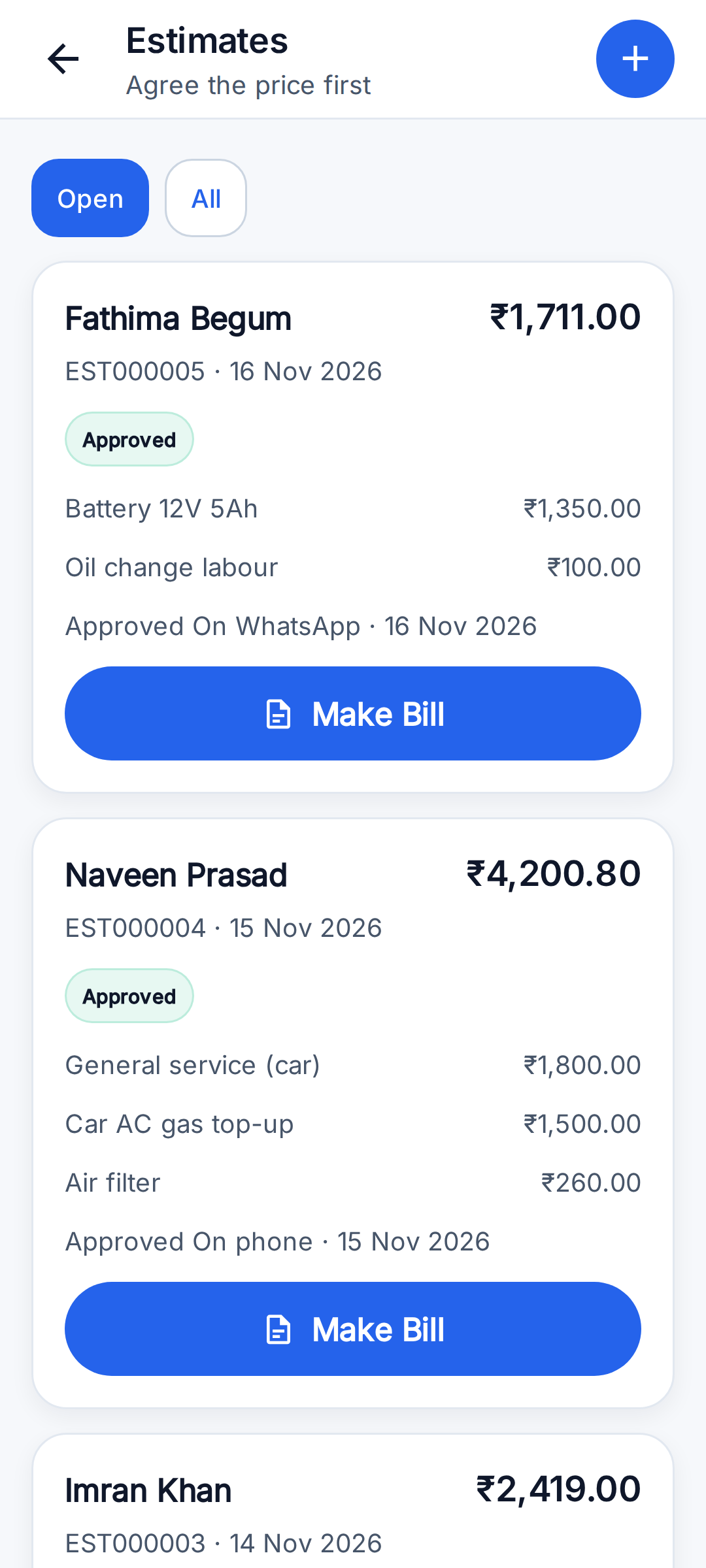
- Make an estimate from a job with the same lines as a bill: parts, labour, discount and tax.
- Estimates have their own numbers (EST000001 onwards), separate from bill numbers.
- Send it on WhatsApp, then record the answer: approved or rejected, and how (in person, by phone, on WhatsApp).
- An approved estimate becomes the bill in one tap, for the agreed amount.
- An estimate does not touch stock, cash close or reports. Only the bill does.
The bill: parts and labour, GST per line
GST is added only when the garage has saved a valid GST number in Profile → Business. RepairSetu does not decide GST rates: the garage or its accountant sets the rate on each Price Book item, because rates differ by part and change over time.
- Each line is a part or labour. A line picked from the Price Book already knows which.
- HSN code for parts and SAC code for labour, saved once on the Price Book item.
- A GST rate per line, so parts and labour at different rates sit on one bill.
- A flat discount, taken off before tax.
- Totals for parts and for labour, and tax shown for each rate.
- The vehicle and its registration number are printed on the bill.
- 'Save & Share PDF' makes the PDF and opens WhatsApp to send it.
Payments and the day's cash
- Record cash, UPI, bank transfer, card or other, with an optional UTR or transaction number.
- Bills show Unpaid, Part paid or Paid, and Home shows what is still to collect.
- Cash Close totals the day's collections by mode and by team member. Enter the cash counted and the app shows if it matches, is short or has extra.
Spare parts stock
Stock is optional and is switched on part by part, so a garage can count only the parts worth counting.
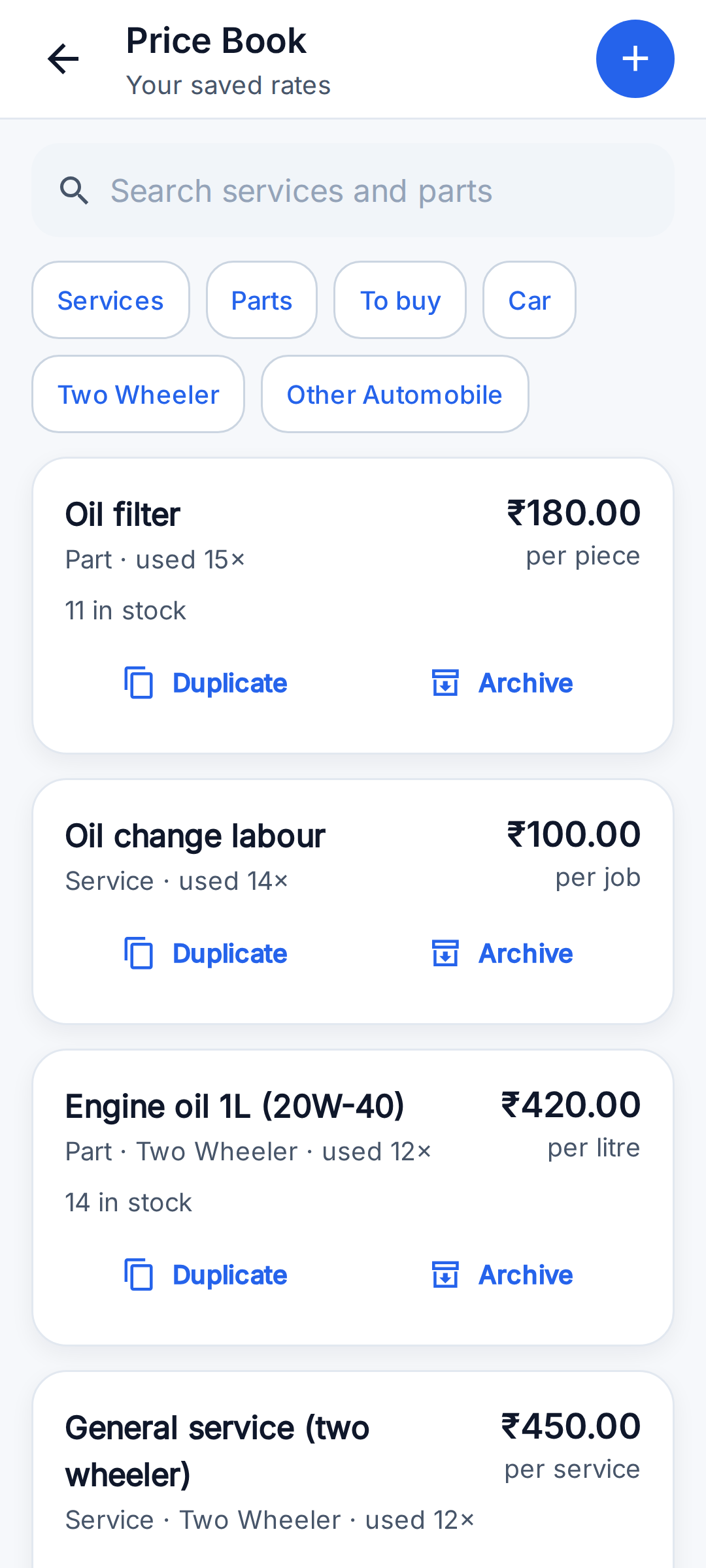
- Each part can have a part number (SKU), HSN code, purchase price, quantity in stock and a reorder level.
- Billing a counted part takes it off stock. Buying parts adds them, with the cost and a bill reference.
- Every part has a passbook: each purchase, sale, return and count, with the balance after it.
- A physical count sets the balance to what is on the rack and writes the shortfall as its own dated line.
- The 'To buy' filter lists parts at or below their reorder level.
- Billing is never blocked by stock. A negative balance shows that a purchase was not entered.
- Purchase prices are shown only to people who are allowed to make bills.
Not in the app yet
- No automatic SMS or WhatsApp to the customer. Follow-ups are a list you work through; the app opens WhatsApp with the message already written and you press send.
- No link for the customer to approve an estimate themselves. The mechanic records the approval (in person, by phone or on WhatsApp).
- Estimates are shared as a WhatsApp message, not as a PDF. Bills are shared as a PDF.
- No CGST / SGST / IGST split on the bill. Tax is shown per GST rate.
- No suppliers or purchase orders. A parts purchase is one stock entry with a note.
- Stock comes down when the bill is made, not when a part is handed to a mechanic.
- No native iPhone app yet. On iPhone, use the web app in Safari.
Questions garages ask
Can I bill without a GST number?
Yes. Without a GST number the bill has no tax. When a valid GST number is saved in Profile → Business, GST is added using the rate on each line.
Can one bill have 18% labour and a part at another rate?
Yes. Each line carries its own GST rate, and the bill shows the taxable amount and tax for each rate.
Does the bill split CGST and SGST?
Not yet. Tax is shown per rate, not split into CGST, SGST or IGST.
Can I edit an estimate after saving it?
Not yet in the app. Make a new estimate if the price changes.
What happens to stock if I bill a part I never entered?
The bill is made and the part's balance goes below zero, which tells you a purchase entry is missing.
Is it a full accounting package?
No. It covers estimates, bills, payments, cash close and parts stock for a workshop. It does not do ledgers, purchase orders or GST return filing.