

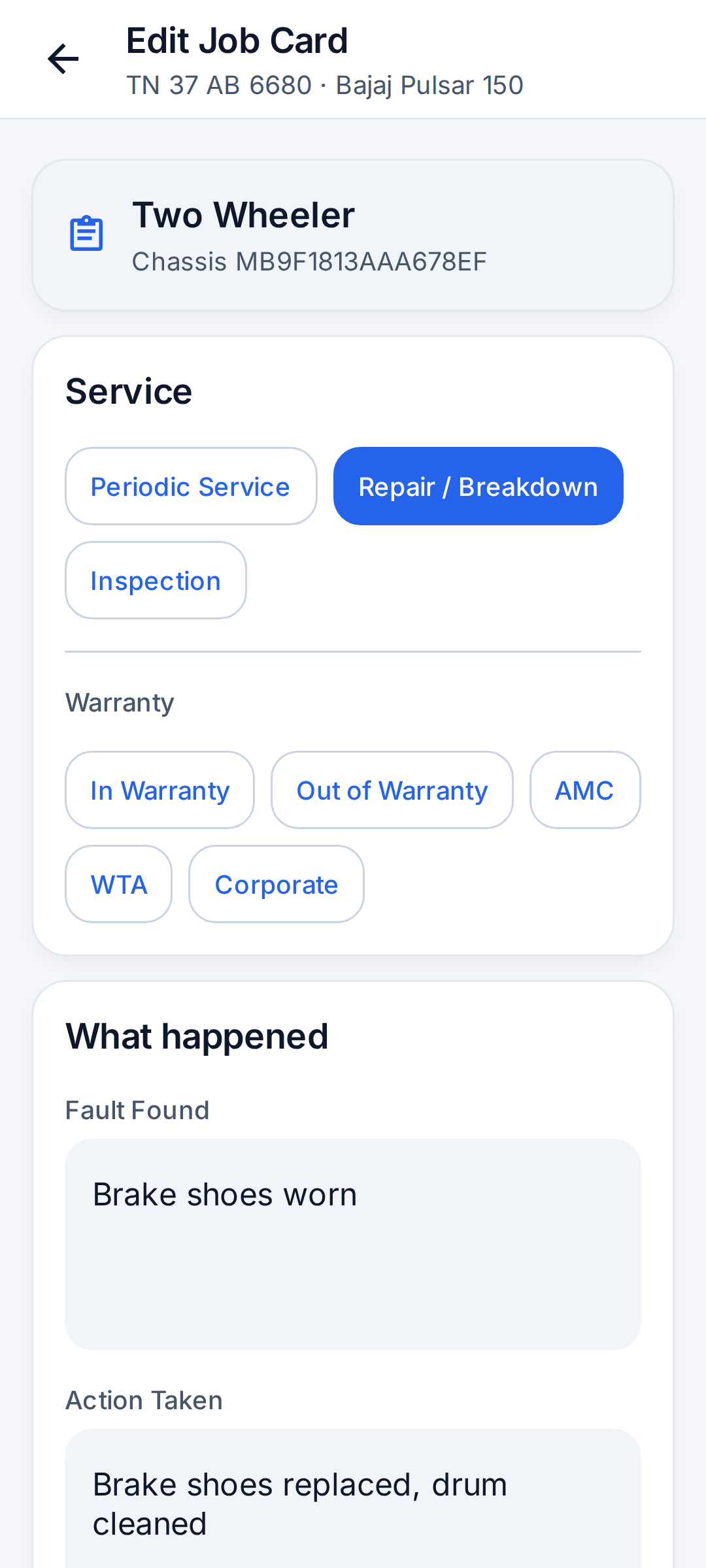
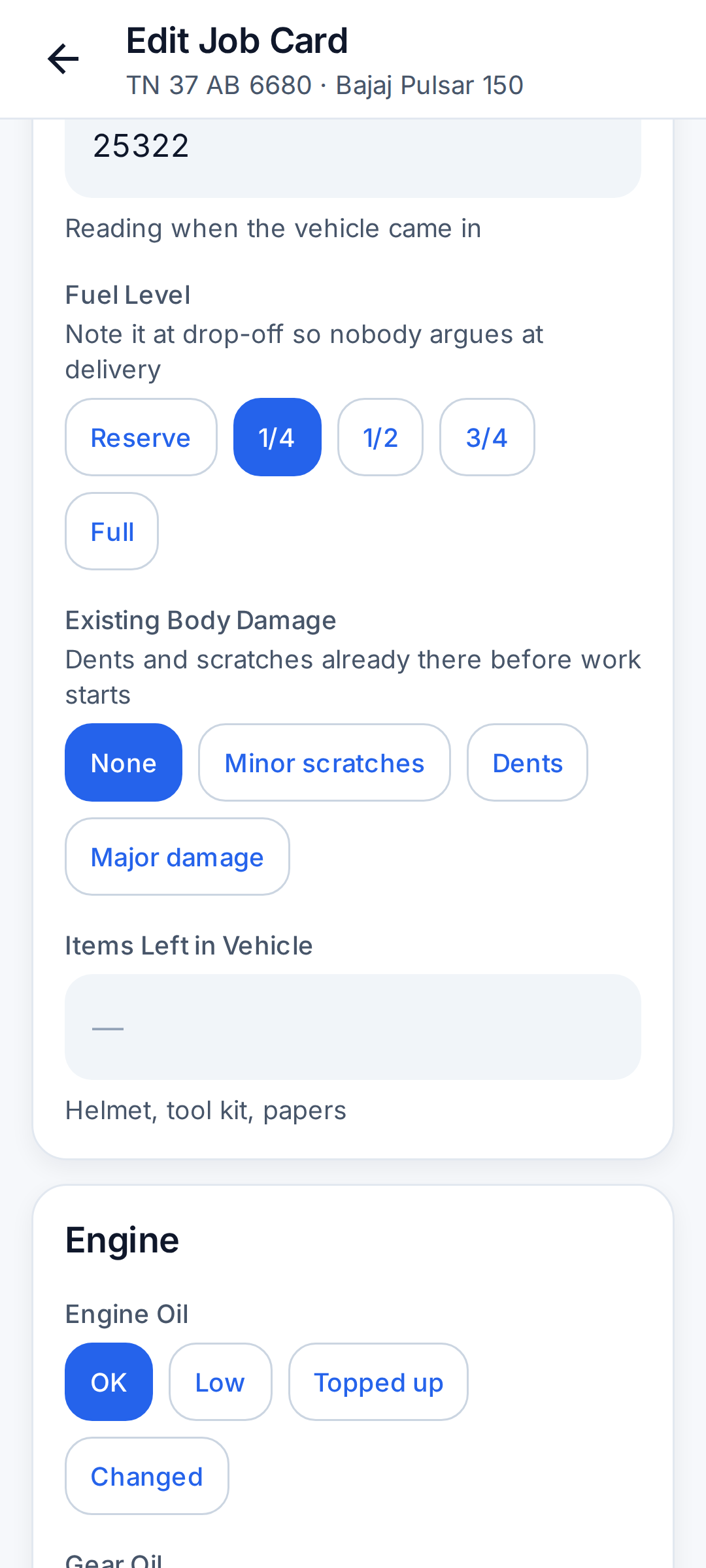
What the intake record settles
Most arguments at delivery are about three things: the fuel that was in the tank, a dent that was already there, and something left in the vehicle. The intake part of the job card records all three, with the odometer reading, when the vehicle is received.
- Odometer in km.
- Fuel level: Reserve, 1/4, 1/2, 3/4 or Full.
- Existing body damage: None, Minor scratches, Dents or Major damage.
- Items left in the vehicle: helmet, tool kit, papers, stereo.
- Photos of the vehicle or the work can be added to the job.
- Warranty status: In Warranty, Out of Warranty, AMC, WTA or Corporate.
Car job card checklist
| Section | What is recorded |
|---|---|
| Vehicle intake | Odometer, fuel level (Reserve to Full), existing body damage, items left in the vehicle |
| Engine | Engine oil, oil filter, air filter, coolant, drive belt, engine noise or vibration, exhaust smoke |
| Brakes | Front brake pads, rear brakes, brake fluid, handbrake |
| Tyres | Tyre condition, front and rear tyre pressure, spare wheel, wheel alignment |
| Electrical | Battery voltage, lights and indicators, horn, wipers and washer, AC cooling |
| Road test | Clutch, suspension, steering, scan or error code from an OBD scanner, test drive done, washing done |
Two-wheeler job card checklist
One card covers bikes and scooters.
| Section | What is recorded |
|---|---|
| Vehicle intake | Odometer, fuel level, existing body damage, items left with the vehicle (helmet, tool kit, papers) |
| Engine | Engine oil, gear oil (scooters), oil filter, air filter, spark plug, carburettor or FI, engine noise or vibration |
| Drive | Chain and sprocket or CVT belt, clutch play (geared bikes) |
| Brakes | Front brake, rear brake |
| Tyres | Tyre condition, front and rear tyre pressure |
| Electrical | Battery voltage, lights and indicators, horn, self start |
| Road test | Suspension, test ride done, washing done |
Other vehicles
Autos, goods carriers, tractors and any vehicle type the garage adds itself get a general vehicle job card: odometer, fuel level, existing damage, engine oil, air filter, brakes, tyres, battery voltage, lights, test drive done and washing done.
How to fill a job card
- Open the job and add the vehicle, or pick one the customer already has.
- Tap 'Fill Job Card' and choose the kind of work: Periodic Service, Repair / Breakdown or Inspection.
- Enter what you checked. Most items are a single tap, such as OK, Low, Topped up or Changed. Blank items are simply not recorded.
- Tyre pressure and battery voltage outside the usual range are highlighted before saving.
- Write the fault found and the work done, and set the vehicle's condition after service: Running fine, Running with issues, Not running or Not worth repairing.
- Set the next service by date, by km, or both ('or at 45,000 km, whichever is first').
- Save. The card is added to the vehicle's history and the customer is put on your Follow-ups list for the next service.
What you get from it later
- The vehicle's full service history, newest first, with the fault and the work done each time.
- Checks over time, such as the odometer and battery voltage at each service.
- A follow-up on the day the next service is due.
- The vehicle printed on the bill, so the customer's paper matches your record.
Questions garages ask
What is a digital job card?
It is the garage job card kept in an app instead of on paper: the vehicle's condition when it came in, the checks done, the fault found, the work done and when the next service is due, saved under that vehicle.
Can the job card be edited after saving?
Yes. Open the job and tap 'Edit Job Card'. Blank fields can be filled in later.
Do I have to fill every field?
No. Fill what you checked. Blank fields are not recorded.
Can I change the checklist items?
Not yet. The car, two-wheeler and general vehicle checklists are fixed. Notes, the fault found and the work done are free text.
Can the customer sign the job card?
The customer's sign-off and a satisfaction score out of 10 can be recorded on the card by the mechanic.
Can I print the job card?
The job card is kept in the app and is not printed as its own PDF. The bill is a PDF and shows the vehicle.